MAKEUP ALL STARS Look Planning Tools
Practical helpers you can use mid-queue—idea boards and submit checklists, not shady executors.
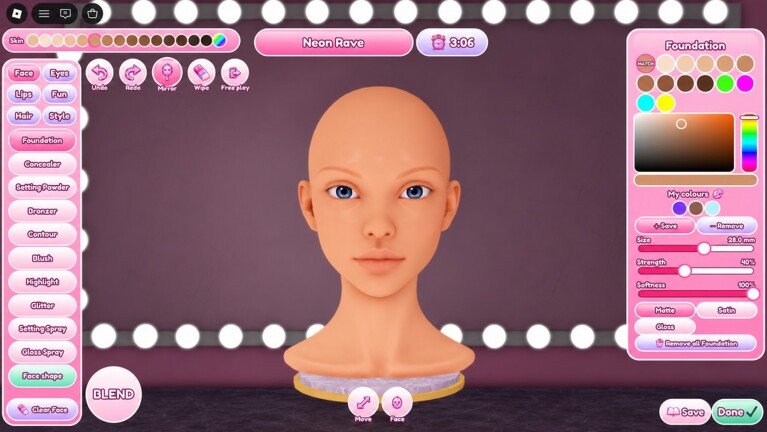
What “tools” means on this wiki
These pages are planning helpers for MAKEUP ALL STARS—not Roblox executors, injectors, or auto-vote macros. If you want automation talk, read the honest warning on the Scripts Hub (no verified game-specific scripts). Here you get creative scaffolding: prompt brainstorming and a pre-submit checklist that catches the mistakes anonymous voters punish.
Tool map
Theme Idea Board
Use when the prompt drops and your mind goes blank. The board groups idea seeds by vibe—romance, clean girl, nightlife, runway, surreal—so you can pick a direction in under thirty seconds, then execute with makeup techniques and the right hair/lash weight.
Look Checklist
Use in the final third of the timer. It forces a silhouette pass, theme keyword check, blend audit, and Boutique harmony check before you lock the look. Pair it with How to Win timing advice so you actually have seconds left to run it.
When to open tools vs guides
- Before you understand the UI → Getting Started
- Before you understand prompts → Themes, then Theme Idea Board
- When you choke under timer → Free Play drills + Look Checklist
- When you keep buying the wrong cosmetics → Boutique and Coins
- When you need meta context → Tier List
Tools compress decisions; guides teach judgment. You need both.
Suggested workflow for a live round
- Read the theme once out loud.
- Glance at the Theme Idea Board category that matches.
- Block face plan: skin → eyes → cheeks → lips (see techniques guide).
- Choose hair/lashes that match eye weight—not your newest flex piece by default.
- Paint with checkpoints every ~20% of the timer.
- Run the Look Checklist once.
- Submit early enough to vote thoughtfully on others.
That workflow scales from casual evenings to ALL STARS Top 10 Globally grind sessions described on the Players Hub.
Why lightweight tools beat random Pinterest tabs
Outside Roblox mood boards are great for inspiration and terrible for timers. They pull you into detail you cannot finish. These wiki tools stay inside the constraints of a 10-player anonymous contest: readable shapes, theme verbs, and finish quality. They also stay honest about codes (none active as of November 2026) and updates—refresh ideas when Updates announce new theme kits or Boutique drops.
Accessibility and device notes
MAKEUP ALL STARS works on all devices. On mobile, decision speed matters even more because brush precision is harder. Use the Idea Board to reduce mid-round indecision, and keep the Checklist short enough to scan with a thumb. Desktop players should still run the Checklist—mouse precision does not fix off-theme concepts.
Expanding your kit beside tools
After a week of using both tools:
- Log which Idea Board categories convert to podiums for you
- Note Checklist items you fail most (usually blend or hair harmony)
- Adjust Boutique unlocks toward those failure points
- Revisit the Guides Hub for the matching deep dive
Creative games reward systems thinkers. MAKEUP ALL STARS is art under a clock; these tools are your pre-flight panel. Open the Theme Idea Board for the next prompt, keep the Look Checklist pinned, and let anonymous votes see a finished story—not a panic scribble.
Frequently Asked Questions
Quick answers to the most common MAKEUP ALL STARS questions.
Are these tools scripts or executors?
No. They are planning pages—idea prompts and checklists. Script automation is covered separately and is not recommended.
Which tool should I use first in a round?
Start with the Theme Idea Board right after the prompt appears, then finish with the Look Checklist before submit.
Can tools replace learning makeup techniques?
No. Tools speed decisions; Makeup Techniques and Free Play still build the hand skill voters notice.
Do the tools change after Boutique updates?
Checklists stay stable; idea examples get refreshed when theme kits shift—watch the Updates Hub.
Are the tools mobile-friendly conceptually?
Yes. They are written for fast scanning on phones where timer pressure and brush precision are tougher.